Most corporate software is designed for an auditor, not a practitioner. It is built to capture data points, ensure compliance, and satisfy the requirements of a dashboard that senior leadership looks at once a month. That is why your remote work experience often feels like a series of digital chores—filling out a status report, updating a Jira ticket, or attending a Zoom meeting that could have been a recorded Loom.
I have spent a decade watching workplace software move from basic utility to complex ecosystems. Throughout that time, I have asked one question every time a new feature drops: What does this look like on a Tuesday at 2:17 PM?
At 2:17 PM on a Tuesday, you are likely tired. Your caffeine has worn off, your inbox is cluttered, and your motivation is waning. If your workplace tools require you to fight against their UI just to finish a task, you aren't doing "work"—you are performing compliance. To turn this into workplace craft, we have to borrow from the industries that have successfully monopolized our attention: streaming platforms and modern, friction-less creative tools.
The streaming paradigm: Why enterprise software is failing the attention economy
Streaming platforms like Netflix, Twitch, and Spotify have mastered the art of the low-friction handoff. When you finish an episode, the next one starts in ten seconds. When you follow a streamer on Twitch, the notification is immediate and unobtrusive. These platforms operate on the assumption that the user wants to stay within the experience, not exit it.
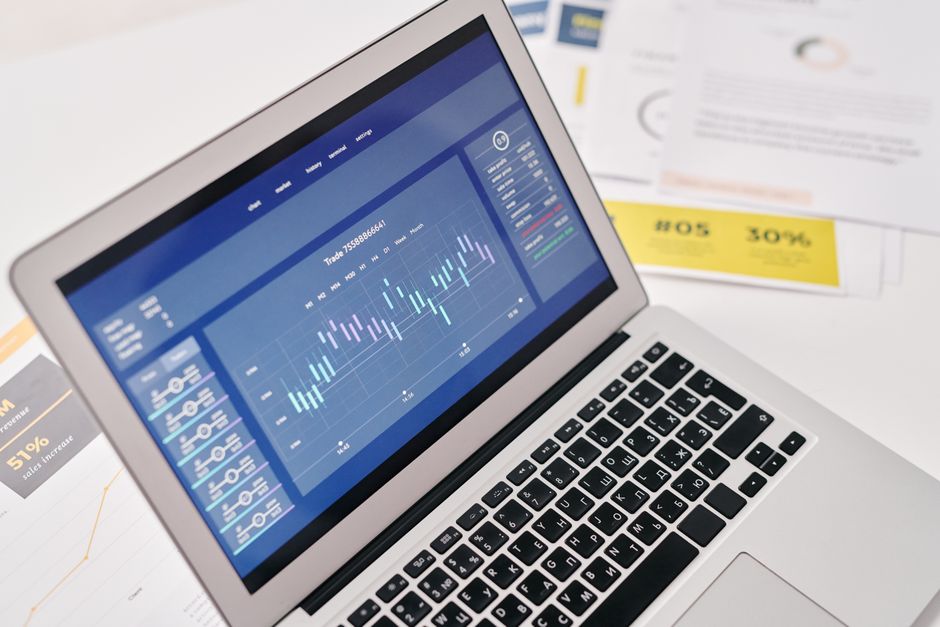
Enterprise software, by contrast, is built on a model of "mandatory friction." Think of legacy ERP systems or outdated project management tools that require five clicks, two dropdown menus, and a page refresh just to move a task from "In Progress" to "Review."
If you want to treat your work like a craft, your software needs to minimize the time between "thought" and "execution."
- Linear is a prime example of this: Its focus on keyboard-driven workflows and command-palette navigation mirrors the speed of a high-end streaming dashboard. Figma turned design into a collaborative craft by removing the need to save, version, or export files to a server. The medium is the workspace.
When the software feels like an extension of your own thought process rather than a gatekeeper, the work stops feeling like compliance. It starts feeling like creation.
Micro-interactions: The difference between chores and progress
We often equate "engagement" with high-level reporting. We think if we have a robust analytics suite, we have engagement. That is a mistake. Real engagement design lives in the micro-interactions—the subtle feedback you get when you finish a task.
Think about the "ding" sound on a successful Slack message, or the satisfying strike-through animation in a well-built to-do app. These aren't just cosmetic choices; they are psychological reinforcements that replace the dopamine hit you used to get from walking over to a colleague’s desk and saying, "Done."
Designing for the individual practitioner
To move toward workplace craft, we need to personalize the experience based on how we actually work, not how HR wants us to work. This means:
Reducing administrative overhead: If your task management system requires you to manually log your hours, it is a compliance tool. If it tracks progress based on commit history or document versioning, it is a craft tool. Contextualizing notifications: Instead of "push notifications" that interrupt your deep work, move toward "digest" systems that respect your time. Visual feedback loops: Use visual indicators—like progress bars or personal streaks—that aren't shared with the whole company. When these metrics become public, they become "managed KPIs." When they stay private, they become "personal milestones."Gamification: Moving beyond the "Leaderboard" trap
Whenever a company tries to implement "gamification," they usually ruin it. They turn work into a competition, introducing toxic leaderboards and badges that no one asked for. That isn't craft; that is forced transparency.
True gamification in a remote environment is about self-mastery. Look at how fitness apps or learning platforms like Duolingo function. They don't force you to compete with others; they show you your own consistency. In the context of https://seo.edu.rs/blog/decision-architecture-how-your-work-tools-are-engineering-your-choices-11124 remote work, this looks like:
- Streaks: Tracking how many days you’ve successfully completed your primary objective. Contribution Graphs: Similar to GitHub’s contribution squares, these provide a low-pressure visual history of your own output. Personalized dashboards: Custom views that highlight the specific projects you care about, rather than a generic "Home" screen filled with corporate announcements.
If you are an individual contributor, you can implement this yourself. Create a private dashboard in Notion or Obsidian that displays your check here personal velocity. Stop looking at the "Company Dashboard" as your source of truth. Your truth is your progress, not your manager's quarterly report.
Comparing Legacy Compliance vs. Modern Craft
The following table outlines the fundamental shift required to move your day-to-day workflow away from bureaucratic overhead and toward something that actually sustains your professional focus.
Feature Legacy Compliance Tools Modern Craft Tools Navigation Click-heavy, multi-menu hierarchy Command-palette, keyboard-driven Feedback Periodic, email-based notifications Immediate, subtle visual micro-interactions Data Entry Manual logging (time/status) Passive tracking (versioning/activity) Motivation Top-down gamification/leaderboards Personal visualization/self-mastery Context One-size-fits-all dashboard Modular, customizable "canvas"The "Tuesday 2:17 PM" test: A final assessment
If you want to assess whether your current workflow is contributing to your craft or just padding your compliance file, apply the 2:17 PM test to your primary tools.
Open your primary project management application at 2:17 PM on a Tuesday. Are you immediately seeing what you need to do, or are you immediately seeing what you haven't finished? Does the software invite you to build something, or does it remind you that you are being monitored?
Workplace craft is not about the tools you use; it is about how you defend your focus. If the software is a constant interruption, you are the user. If the software is a frictionless platform for your output, you are a maker.
Stop trying to optimize for the organization’s ability to "see" what you are doing. Start optimizing for your own ability to produce meaningful, high-quality work. When you change the perspective, the "compliance" aspect of remote work tends to fall into the background. You’ll find that when you focus on the craft, the reporting happens almost by accident—and that is exactly where it belongs.
Key Takeaways for Practitioners:
- Limit the friction: If you find yourself doing more than three clicks to update your status, automate it or find a better tool. Hide the noise: Use browser extensions or custom CSS to block the parts of your workplace software that don't serve your output. Prioritize deep work: Adopt streaming-inspired focus modes. If the app allows "Do Not Disturb" or "Focus" settings, use them aggressively. Define your own "Win": Don't wait for a badge from your manager. Build a dashboard that tracks your personal growth, not your boss’s agenda.
Work is a craft. Treat it like one, even when the software tries to convince you otherwise.